Guest AI Bots, Bot-to-Bot Chats, Chat Automation, Custom AI Styles, 100M+ Emoji & Sticker Search and Much More


Today's update is an AI Bot revolution and more, adding over 10 new features and hundreds of improvements to Telegram:
- Get responses from AI bots in any chat by tagging their @username.
- Set up autonomous bots that communicate with other bots.
- Watch bots stream text as it is generated.
- Automate your chats by connecting a bot to your profile.
- Build and share custom AI styles for the text editor.
- Search through over 100M emoji and stickers in 36 languages.
- Set limits for voting in polls – by channel or country.
- View poll statistics to track votes for each option over time.
- Schedule messages that will be delivered silently.
- Remove reactions in groups where you're a moderator.
Guest Bots
Telegram is the only platform where all AI models can compete freely — while users have full control over their experience.
AI assistants and automated tools built as Telegram bots can now be mentioned in any private or group chat — even when they aren’t members. This lets them quickly answer questions, fact-check, generate text or images, perform tasks and more.
To mention a bot that supports this feature, simply include its @username in your message. Once the bot processes your request, it will reply directly in the chat where you mentioned it.
To enable Guest Mode, bot developers are invited to check out this guide.
Bots only have access to the specific message they are tagged in and any replies to that message. Bots cannot see which users are in the chat and cannot access other messages.
Bot-to-Bot Communication
With this update, bots are now able to respond to other bots, not just users. AI enthusiasts can leverage this to automate workflows with fully autonomous agents.
To enable Bot-to-Bot Communication and learn more about this feature, see this guide.
Streaming Text for Bots
For a seamless user experience, bots can stream responses as they are generated — rather than waiting for the full message before sending.
Recent updates to the Bot API have made this even more efficient, for faster responses that have new animations.
Chat Automation in Profiles
With this update, every Telegram user can connect a bot to their profile — and allow it to respond to messages on their behalf.
When connecting a bot, you configure which chats it can access — like excluding all chats with your contacts, or only responding to new chats.
Developers can follow this guide to enable this feature. To connect a bot to your profile, go to Settings > Chat Automation.
Custom AI Styles
Any user can now use their own prompts to build unique styles in the text editor. With this, teams can easily standardize text for posts and promotions, while communities can create meme-filled styles for their members.
Each custom style has a shareable link that allows other users to preview the style by generating examples and instantly add it to their text editor.
To build your own AI Style, tap the 'Create' button in the 'Style' tab of the AI Text Editor.
Expanded Emoji and Sticker Search
Over 100 million emoji and stickers created by Telegram users can now be easily found via the search function in the sticker panel. The search bar supports keywords in 36 languages — with more coming soon.
The search function is powered by custom AI models that run on the Cocoon Network to efficiently scan and label the millions of public stickers generated by Telegram users each year.
To quickly make your own stickers, use the built-in sticker editor or upload your artwork via the @Stickers Mini App.
Statistics for Polls
Polls in groups and channels now display an interactive graph for admins, which tracks the number of votes for each option over time.
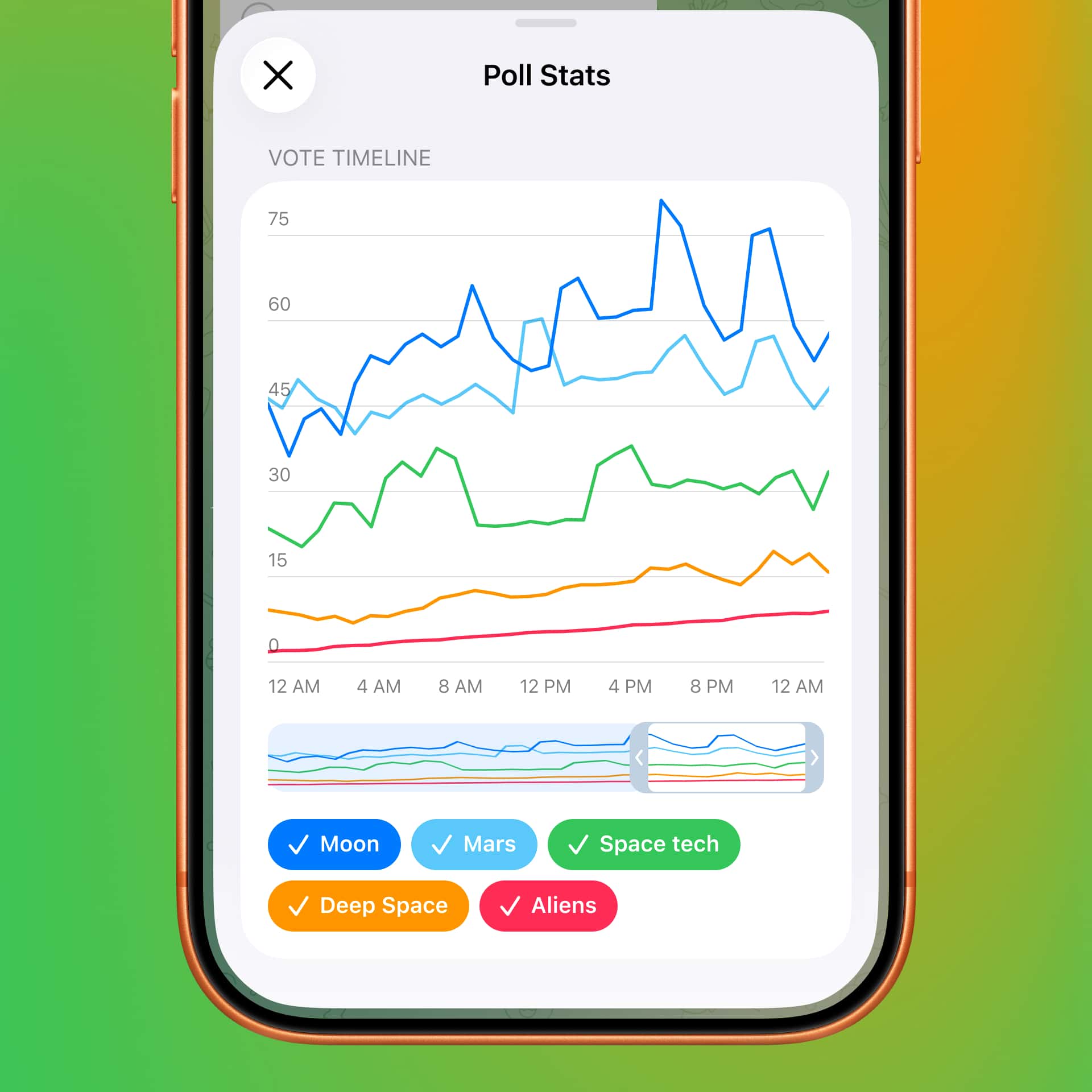
Poll stats become available after a poll receives 100 votes.
Custom Limits for Polls
Channel admins are now able to set custom limits on who can participate in polls — allowing only subscribers or only users from specific countries.
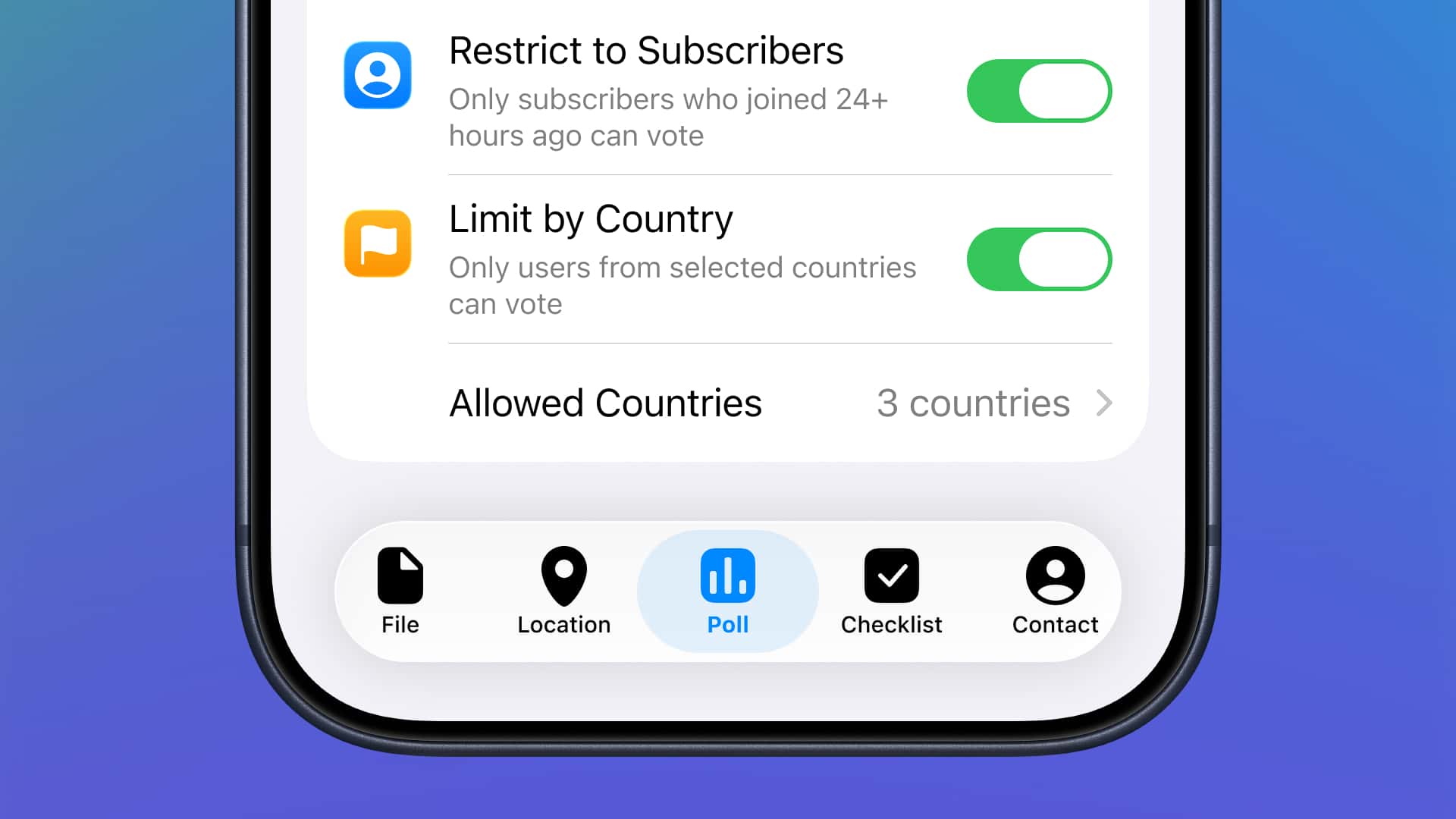
To set limits for your poll, enable 'Restrict to subscribers' or 'Limit by country' in the poll settings.
Silent Scheduled Messages
Messages you schedule in advance can now be delivered silently — so your updates and reminders won't disturb the recipient.
To silence a scheduled message, hold the 'Send' button, select 'Schedule Message' and then tap the
icon.
 icon.
icon.Removing Reactions
Group admins can now delete reactions from specific users to make moderation in communities even easier. When deleting a reaction, admins can also choose to remove all reactions from that user in just two taps.
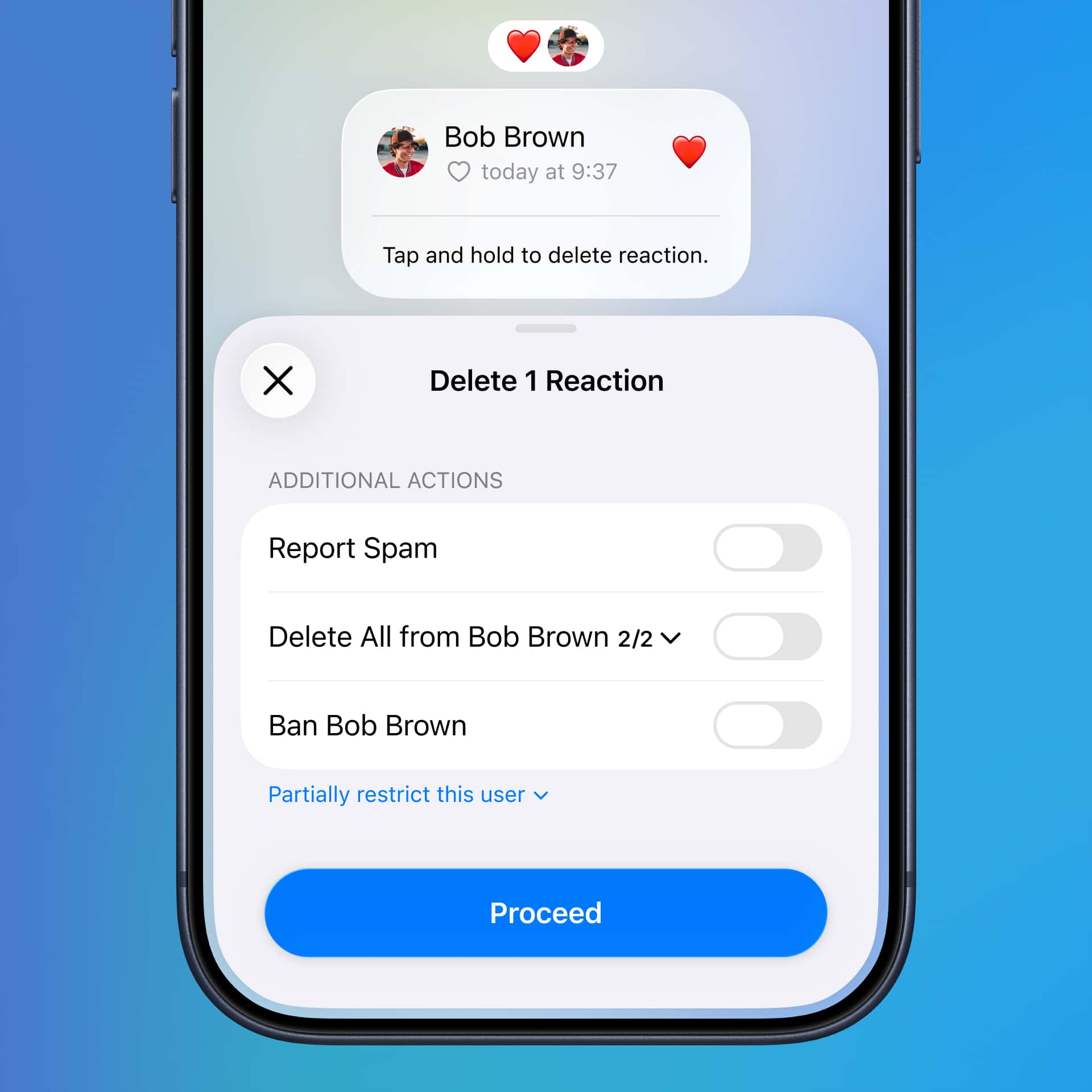
To remove a reaction, tap or hold a message, tap again to expand the list of reactions, then hold down to delete a reaction.
Hundreds of Bug Fixes
Thanks to user reports on Telegram's Bug and Suggestion Platform, our developers were able to make over 200 improvements across all Telegram apps.
Enjoy spring while our developers and AI agents are working to bring you more.
May 7, 2026
The Telegram Team
Other News

스마트워치 앱, 봇을 위한 리치 텍스트, 그룹을 위한 AI 가디언, 그리고 그 외에도 다양한 기능

게스트 AI 봇, 봇 간 대화, 대화 자동화, 맞춤형 AI 스타일, 1억 개 이상의 이모지 및 스티커 검색 등 다양한 기능